
Sometimes, it might feel like you’re working harder than ever, but still, you’re unable to keep up with email follow-ups, lead nurture, and customer engagement. Trust me, it’s not just you. Manual work keeps you burned out for no reason, whereas you can easily opt for automation.
Research shows that companies using marketing automation see up to a 451% increase in qualified leadsand improved conversion rates. All credit goes to automated workflows and personalized responses.
That’s what solid WordPress marketing automation plugins bring to the table. In this guide, I will be sharing the best marketing automation plugins for WordPress in 2026, focusing on key features and how each automation tool makes your business operate smoothly.
Whether you are a beginner or upgrading your toolkit, this blog gives you the insights you need to pick the right tool.
6 Best WordPress Marketing Automation Plugins in 2026
1. Bit Flows – AI Workflow Automation Plugin
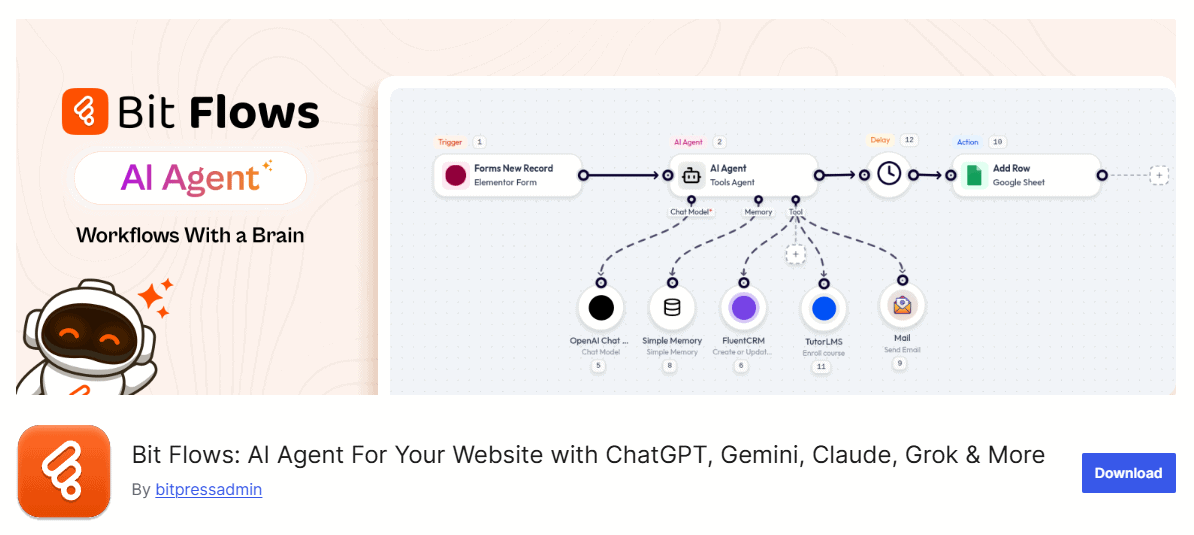
Bit Flows is an AI workflow automation plugin for WordPress users, using which users can create multi step workflows with a drag-and-drop visual canvas. The automation plugin connects WordPress with 270+ plugins and external platforms (including WooCommerce, form builders, CRMs, and email marketing services) and allows data to flow between them in real time. Morever with different tools like router, iterator, delay, repeater, users can automate complex workflows.
With the AI agent, users can create AI-powered workflows. The AI agent integrates with popular LLM models and allows you to build intelligent decision-making workflows within WordPress.
Key Features:
- Drag and drop visual canvas
- Integrates with 270+ WordPress plugins and external platforms
- AI-driven workflow automation, integration with OpenAI, Gemini, Claude, and DeepSeek.
- Native AI Agent with LLM chains for intelligent decision-making.
- Create multi-step workflows with tools like routers, conditional logic, repeaters, and delays.
- Unlimited workflows and tasks
2. Bit Integrations – No-Code Automation and Integration Plugin
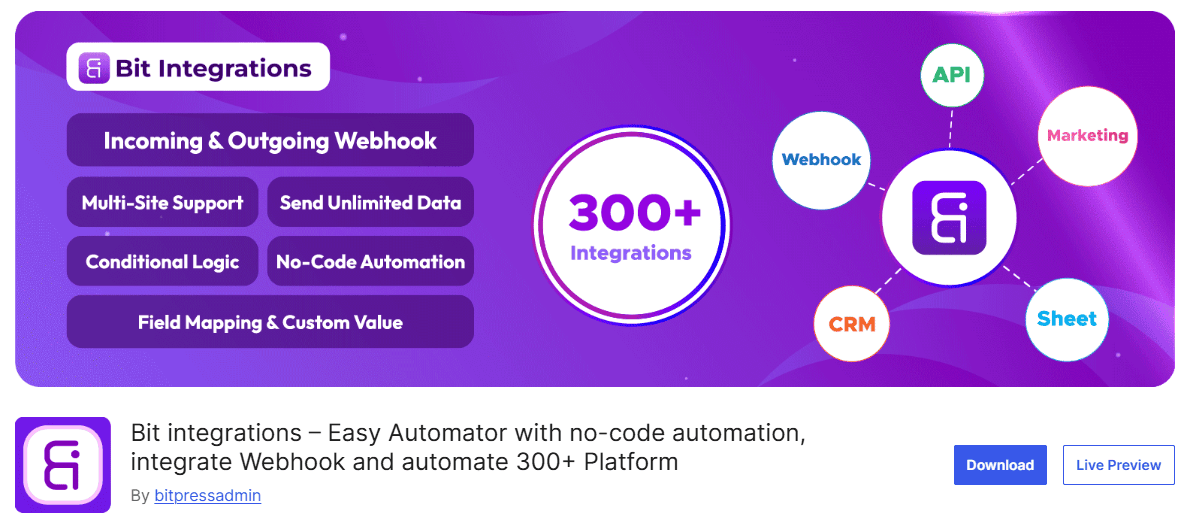
Bit Integrations is a simple automation and integration plugin that automatically connects and moves data between your WordPress site and third-party platforms. This marketing automation plugin follows 3 easy steps for automation: Select Trigger → Select Action → Map the action, trigger fields and send unlimited data across platforms automatically.
It supports 300+ platforms and plugins, including CRMs, email marketing tools, LMS plugins, Google Sheets, and more. Bit Integrations makes it possible to automate marketing tasks across tools without any technical skills. It is a great tool for businesses that want to automate data from one platform to another.
Key Features:
- No-code automation builder
- Supports 320+ platforms
- Incoming and outgoing webhook for custom integrations
- Supports conditional logic for smarter workflows
- WooCommerce automation syncing orders, customer and product data
- Custom triggers and actions
- Powerful data mapping to match fields
3. FluentCRM – Marketing Automation Plugin for WordPress

FluentCRM is an email marketing automation plugin for WordPress users. It works as a CRM inside WordPress, which allows you to collect leads, send automated email campaigns, segment contacts, and build funnels without external tools.
With FluentCRM, you can track opens, clicks, purchase history, and trigger email automation based on user actions like form submissions or WooCommerce purchases.
Key Features:
- Email campaign builder
- Powerful automation and funnel builder
- CRM contact management
- Segmentation with tags and lists
- Automation triggers by user events
- Deep integration with WooCommerce
4. Bit Form – Lightweight Form Builder Plugin for WordPress
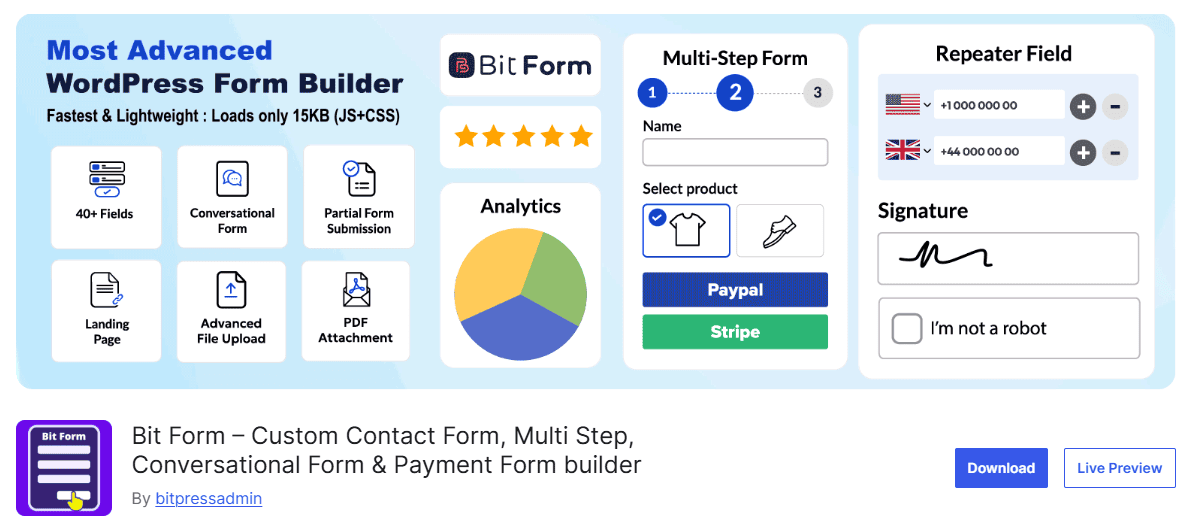
Bit Form is a form builder plugin, plus it also acts as a marketing automation plugin. For example, when anyone submits a form, Bit Form automatically sends form data to multiple platforms like CRM, GoogleSheets, email marketing platforms, etc., without manual work.
With this plugin, you can run automated marketing campaigns. Say, if any user abandons the form halfway, you can still capture their information for follow-ups. Also, the plugin’s conditional logic helps qualify leads better by showing different questions based on the user’s input.
Key Features:
- Drag-and-drop form builder
- Lightweight, loads only 15 KB JS & CSS
- 50+ form field types, including rating field, file upload, signature field, repeater field, and more.
- Create various forms like multi-step forms, conditional logic forms, conversational forms, etc.
- Calculation field support
- Form analytics
- Connect with 50+ external platforms
5. MailChimp for WordPress – MailChimp Integration Plugin

MailChimp for WordPress helps you capture subscriber emails and sync them directly with your Mailchimp account. It is one of the easiest ways to turn WordPress form submissions into Mailchimp subscribers, which then triggers Mailchimp automation campaigns.
This plugin does not offer automation inside WordPress itself, but it excels at connecting your WordPress site to the leading email marketing platform. It’s useful if you already run email campaigns through Mailchimp and want to automate subscriber collection and initial follow-ups.
Key Features:
- Connects WordPress to Mailchimp
- Multiple form placement methods
- Integration with WordPress form and e-commerce plugins
- Double opt-in configuration options
- Field mapping between WordPress and MailChimp
- Interest group support
- Lightweight plugin architecture
6. NotificationX – Social Proof Notification Plugin
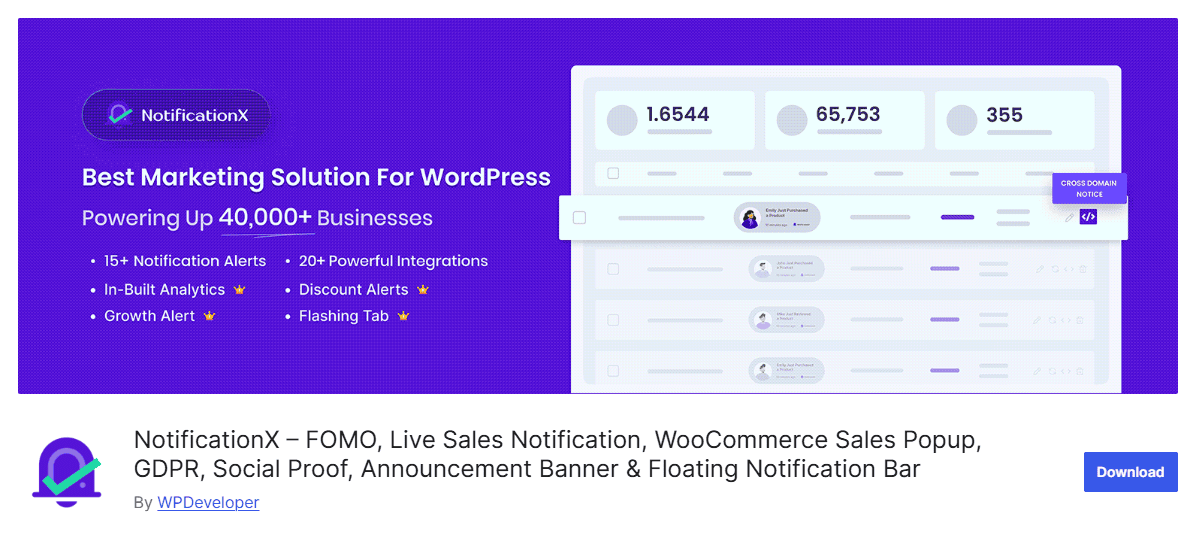
NotificationX focuses on social proof notifications and urgency triggers. It shows automated alerts like real-time sales, comments, downloads, and review notifications that grab attention and build trust.
These notifications help increase conversions by leveraging FOMO (Fear Of Missing Out) and engagement triggers on your site.
Key Features:
- Real-time sales notifications
- Review and comment alerts
- Announcement bars and countdowns
- WooCommerce and Easy Digital Downloads support
- Zapier integration
- Custom notifications
Combining Marketing Automation Plugins
These WordPress marketing automation plugins can function together as an integrated system. For example:
Visitor arrives in your website and sees a “Download Free Guide” form (made with Bit Form)→ Submits the form with their name and email → Bit Form now triggers Bit Flows → Bit Flows then notifies FluentCRM that “Add this person to the ‘Free Guide Downloads’ email list.” → Then FluentCRM automatically sends “Download link” email and continues to follow-up whenever something new arrives → While FluentCRM is sending emails, Bit Integrations updates the Google Sheet and adds them to the CRM with a tag “Guide Downloaded” → Meanwhile, NotificationX shows other website visitors: “4K people downloaded this free guide.”


View All Your Marketing and Website Data - Instantly
 Connect Instagram, Mailchimp, Google Analytics & more
- Pre-built dashboards, no setup needed
- Save hours on reporting every week

Selecting the Right Marketing Automation Tools for WordPress
Why do businesses look for marketing automation plugins? So that they can get rid of manual and repetitive marketing tasks by automating them. This way, your workflows will run in the background without you doing anything manually.
The plugins I’ve listed in this guide help you automate follow-ups, nurture leads, engage customers, and build meaningful connections. So choose the tool that fits your goals, set up a few smart workflows, and let automation do the heavy lifting for you.